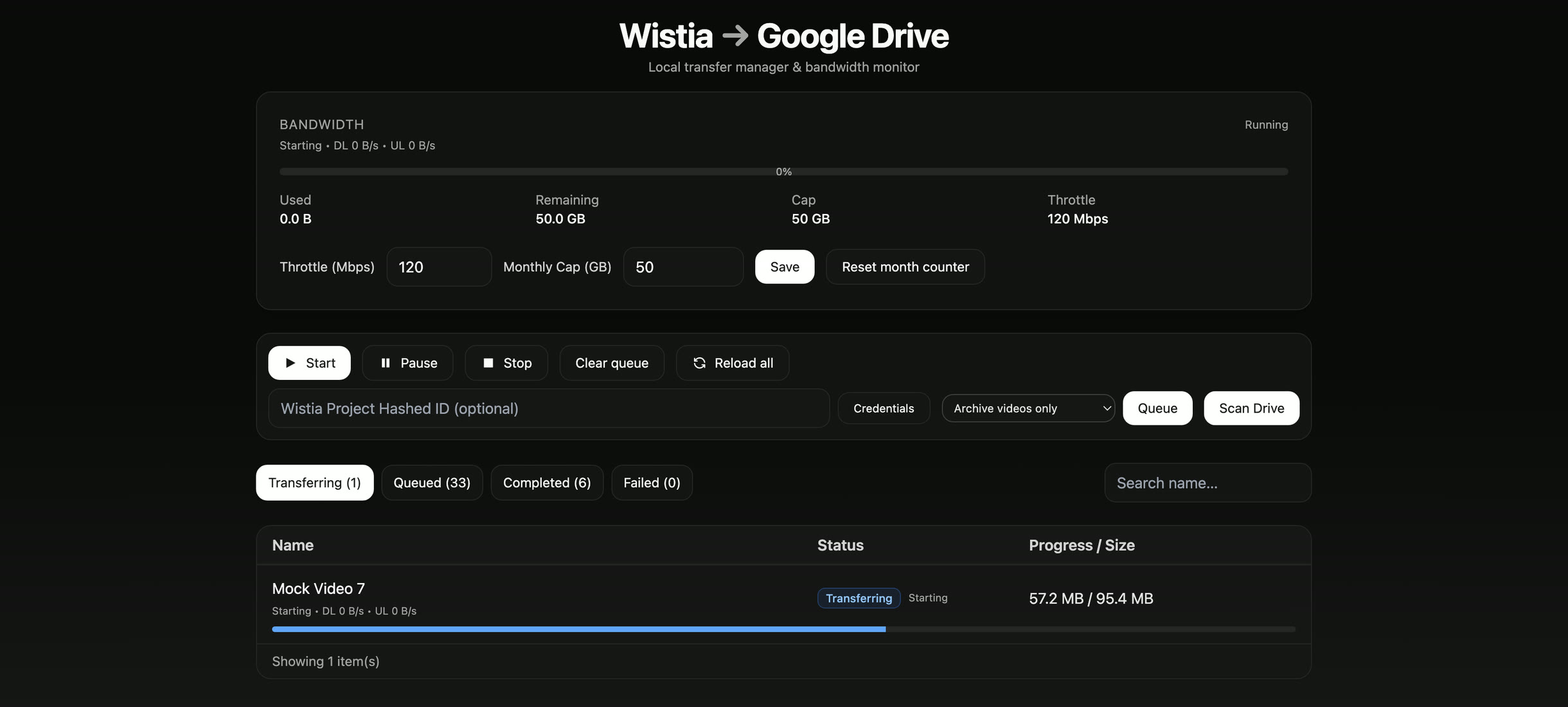
Screens on this page come from the tool's mock mode, with synthetic videos. Speeds read zero there because only live transfers report them.
Screens on this page come from the tool's mock mode, with synthetic videos. Speeds read zero there because only live transfers report them.
Video Library Migration
Full-Stack Development
Node.js
Express 5
React 19
Vite
Tailwind
Google Drive API
Wistia API
About 1,800 videos had to move from Wistia into Google Drive, most of them hundreds of megabytes and some close to 2 GB. Doing it by hand would have meant choosing the right file for each video, downloading it, uploading it again through a browser, and keeping a list of what was finished, with any failed upload starting over from zero. Two constraints shaped everything else. The transfers ran over a home internet connection shared with a household, so bandwidth had to be rationed. And a migration that would take months was going to be interrupted again and again: restarts, dropped connections, and needing the network back. A tool that assumed one clean, uninterrupted run would have failed on its first day.
I proposed building a tool instead, then built it: an Express API that does the transfers and a React console that drives and watches them. The core is a streaming pass-through. For each video the tool opens a resumable upload session in Google Drive, reads the file from Wistia as a stream, and pushes it into that session 8 MB at a time. Nothing is downloaded first, so memory use is set by the chunk size rather than the file size, and disk space never mattered. Around that core sit the parts that made months of runs survivable: a queue saved to disk as it changes, a bandwidth throttle and monthly budget, smoothed live telemetry, and a rule that picks the right file for every video, so none of them needed a human decision.
~1,800
Videos moved
~690 GB
Delivered to Google Drive
0 bytes
Of video written to disk
137 / 137
Final batch, no failures
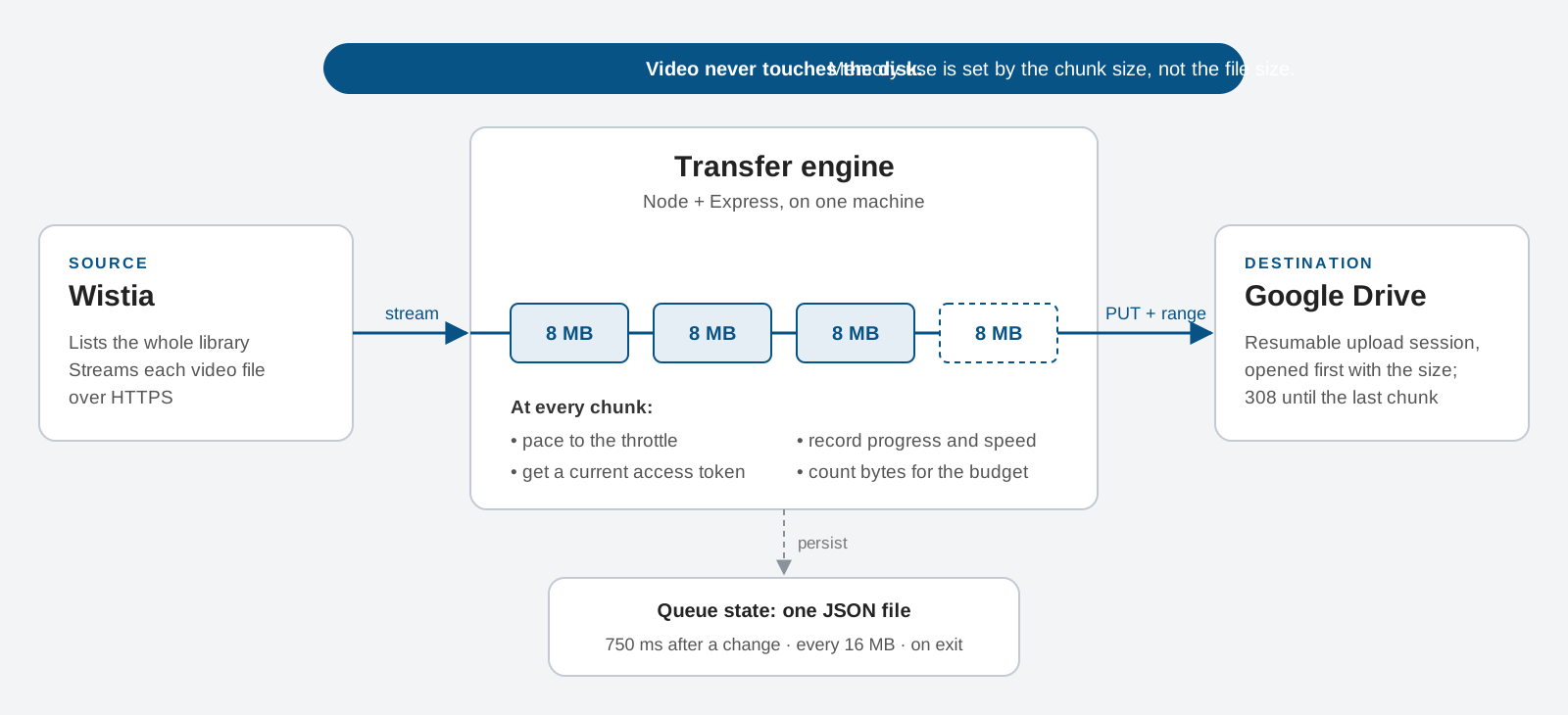
The obvious design downloads a video and then uploads it, which costs a full file of disk space and waits on every video twice. Instead the tool opens a Drive upload session first, with the file's size, then reads Wistia's response as a stream and forwards it in 8 MB chunks, each sent with an explicit byte range. Drive answers 308 until the last chunk lands. A 2 GB video costs the same memory as a 20 MB one.
I wrote against Drive's resumable upload protocol directly instead of the SDK's upload helper. It took more code, but it turned every chunk boundary into a hook: the throttle paces there, progress is recorded there, and each chunk asks the auth client for a current access token, so an upload that runs for hours can't outlive its credentials. Progress is exact from the first byte, because every video's size is known before it starts.
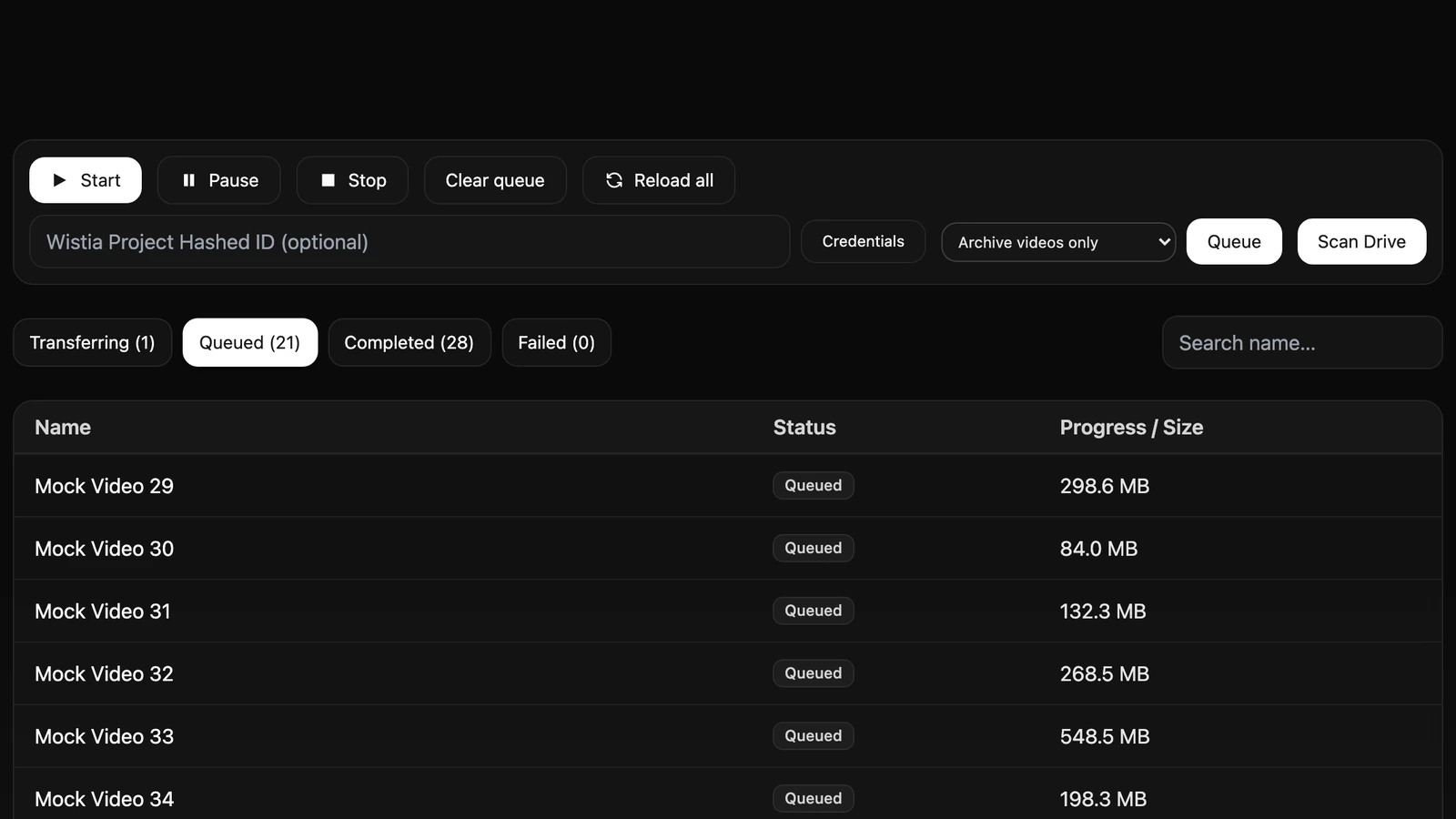
Restarts, dropped connections and stopping a run to get the network back were certain, so the queue never lives only in memory. It is written to a JSON file 750 ms after any change, again every 16 MB of upload, and when the process shuts down. After a restart, a video that was mid-transfer goes back into the queue and starts clean: how much of an interrupted upload Drive kept is unknown, and guessing is worse than sending it again. There is no database. One operator's state fits in a file you can read by hand.
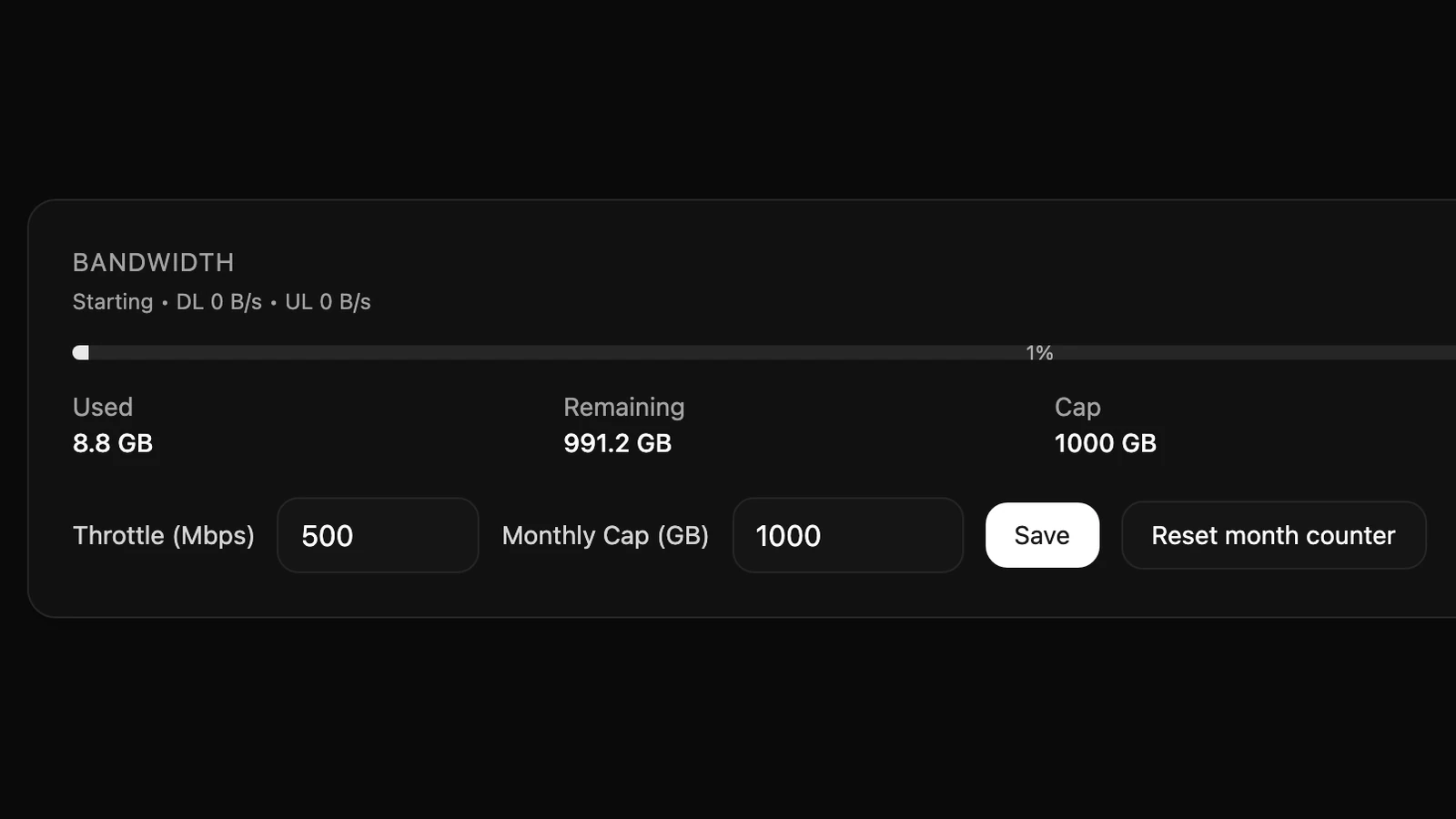
The migration shared a home connection with a household, so bandwidth, not CPU, was the scarce resource. The throttle is a Mbps setting applied as pacing between chunks, and a monthly ledger shows how much of the budget is used and how much remains. Both can be changed mid-run from the console. Transfers run one at a time, on purpose: it keeps the ledger exact, makes the throttle mean something, and keeps the queue simple enough to reason about without thinking about races.
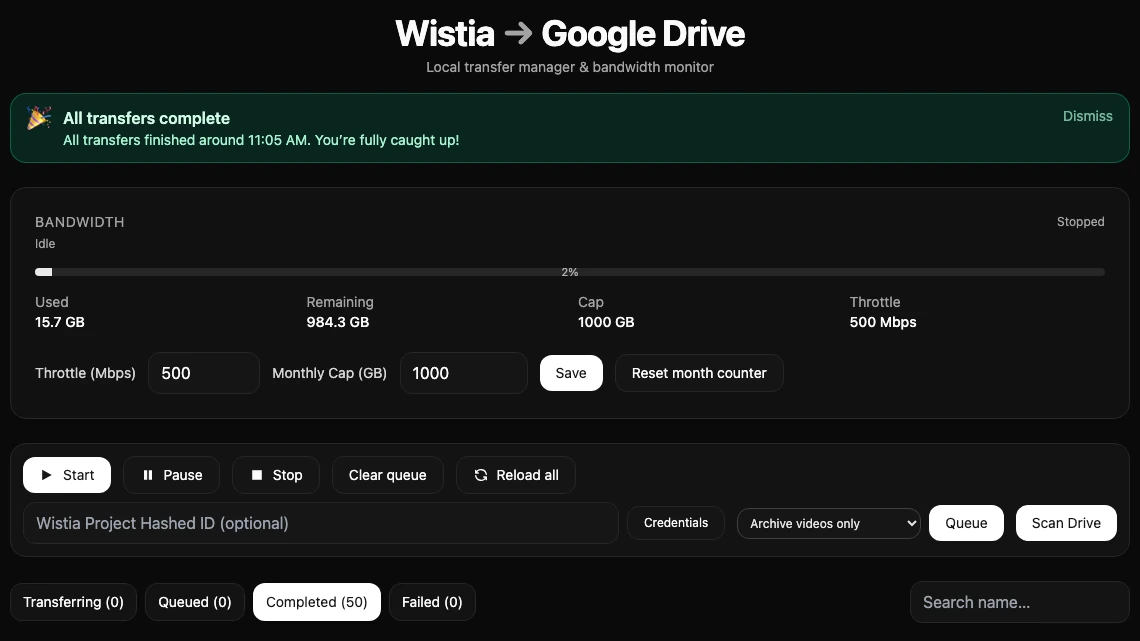
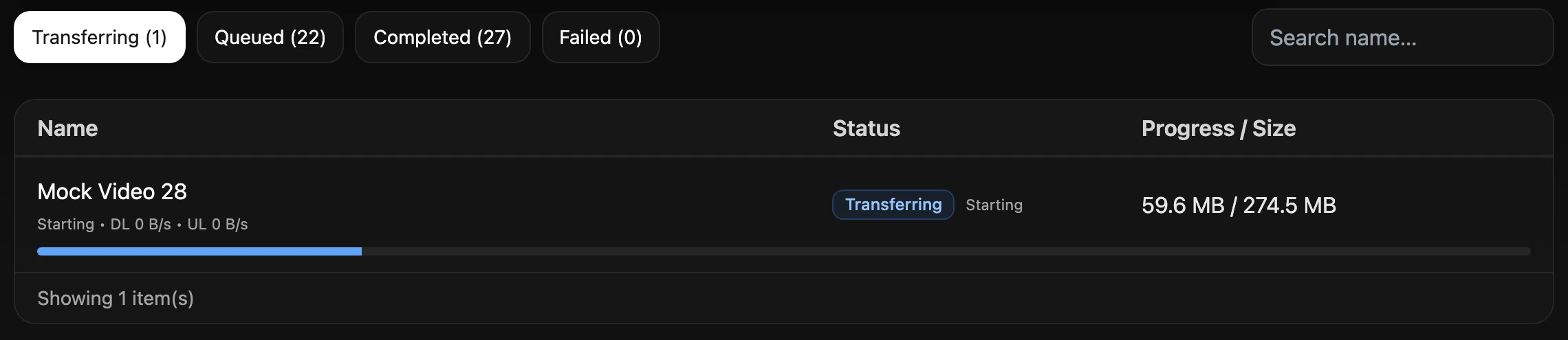
Runs lasted all day, so the console is built for supervision rather than invocation, and nothing needs a decision per video. A fixed rule picks each file: the original first, then the HD, high and MP4 renditions, stepping down whenever the original is over 2 GB. Each transfer reports its phase and separate download and upload speeds, smoothed with a moving average, because raw throughput on a chunked transfer swings enough to look broken. Failures wait in their own tab to be retried, and a banner records when the batch finished. The final batch ran for 21 hours unattended and completed all 137 videos.